As Artemis 2 nears Earth and the mission prepares to splash down tomorrow evening at 8:07 P.M. EDT, Friday morning presents a great (and last) chance to spot the incoming spacecraft with your telescope.
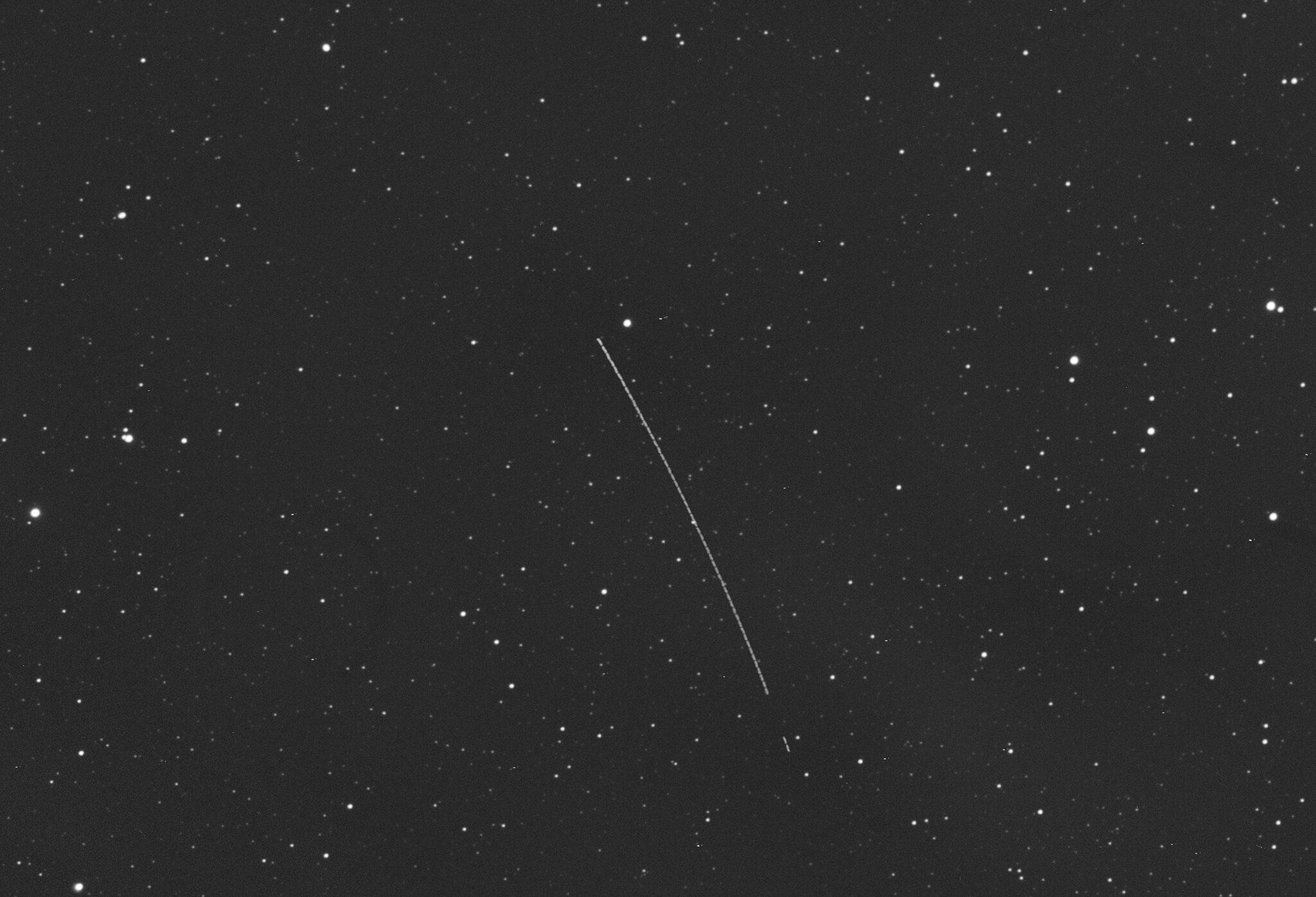
Because the Orion capsule carrying the four-person crew is moving fast — currently at some 2,900 mph (4,670 km/h) and climbing — it’s also moving pretty rapidly relative to the background stars, just like an asteroid. That means if you center the spacecraft in your scope, you’ll be able to track its motion over the course of several minutes with your eyes, using the background stars as stationary markers. Long exposures and composites like the one above will show the spacecraft as a streak across the sky.
When and where to see Artemis 2
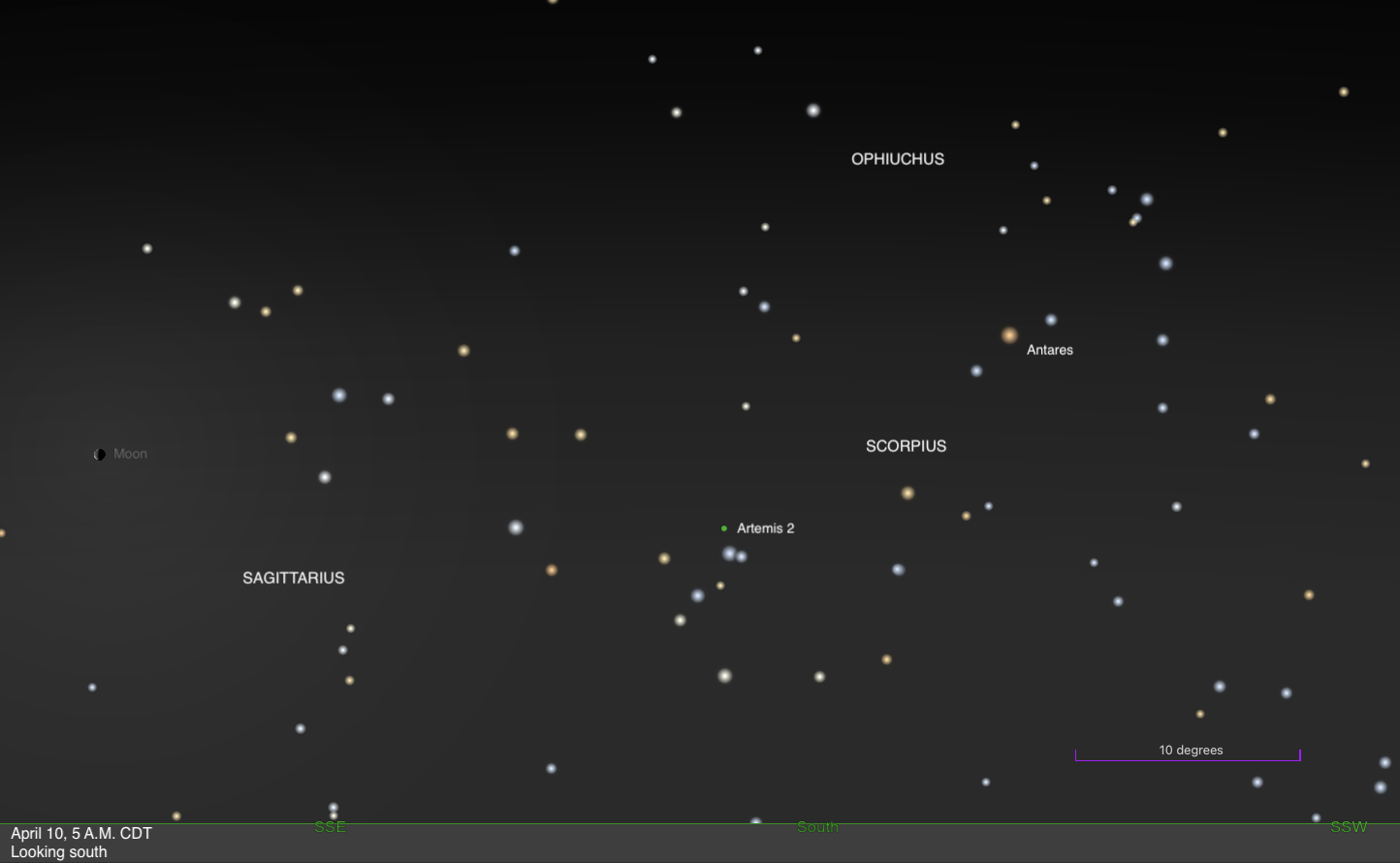
Artemis 2 will be visible for many U.S. observers early on Friday morning, April 10. From a Midwestern location of 40° N 90° W, it rises shortly before 1 A.M. local daylight time and is highest around 5 A.M., remaining visible through dawn and setting after sunrise. However, these times will vary with location — farther south, it will rise slightly earlier and stand highest in the sky slightly later, by about 20 to 30 minutes.
As it homes in on Earth early Friday morning, the Orion capsule is estimated to glow around 14th magnitude. That’s fainter than it was right after launch, as it’s still farther from Earth. It will be challenging to spot visually, but 8-inch or larger scopes should show it, especially in long-exposure photographs. And many smartscopes may also be able to pick it up, thanks to their image-processing capabilities.
One caveat is that for many U.S. observers, Artemis 2 will be located in the southern sky and remains quite low at its highest. From Peoria, Illinois, the spacecraft never reaches an altitude greater than 11°, while from San Antonio, Texas, it rises to a maximum of 25° above the horizon. So, the farther south you live, the higher you will see it appear. To maximize your chances of spotting the spacecraft, you’ll want an observing location with a clear, dark southern sky and a horizon free from trees or tall buildings. If you can get to a hill or other location that gets you above your surroundings, all the better.
How to find Artemis 2 in the sky
There are a few ways to determine whether — and if so, when — the Orion capsule will be visible from your location.
The most beginner-friendly option is TheSkyLive.com’s tracking page for Artemis 2. At the top, you can input your location to see whether the spacecraft is above or below the horizon, as well as its rise, transit (when it is highest), and set times and location on the sky. The site’s interactive star charts can help you pin down its position, and also provide its distance and coordinates in both altitude and azimuth as well as right ascension and declination. Altitude is key, here: a positive altitude indicates an object is above the horizon, with larger numbers meaning it is higher in the sky. Azimuth simply indicates direction: 0° is due north, 90° due east, 180° due south, and 270° due west.
More experienced observers looking for precise coordinates can use NASA’s JPL Horizons website. This can provide up-to-the-minute coordinates if you are using a go-to or smart telescope.
At the top of the Horizons page are several inputs you can specify by clicking the blue “Edit” buttons. Set the Target Body to Artemis II and the Observer Location to your location, either by inputting your coordinates or searching for your location by name. Under Time Specification (which is in Universal Time), you’ll want to start with the UT equivalent of local midnight from your location, which is 04:00:00 on April 10 for observers in EDT, and one hour later for all time zones farther west (assuming you observe daylight saving time). You can also use Google or worldtimebuddy for the conversion. Similarly, set the end time for the time you plan to stop observing (again converted to UT), or simply the time of sunrise at the latest. While in the Time Specification window, you’ll want to choose a smaller step size at the bottom. This can be as small as 1 minute or as large as 10 or 20 minutes, but note that Artemis 2 is moving significantly, so smaller steps will help you find it more quickly and precisely. If you use a larger step size, you’ll be able to see in the output just how quickly the coordinates are changing. The last input, Table Settings, specifies what outputs you want. I recommend checking only two: No. 1: Astrometric RA & Dec and No. 4: Apparent AZ & EL. These will give Artemis 2’s R.A. and Dec, and azimuth and altitude. Most of the other outputs are either not determined for the mission or are not necessary for observing.
Once you’ve made and saved your selections, click the green “Generate Ephemeris” button. When the results load, scroll down a ways to the table of outputs, which will start with a list of dates and times (again, in UT) and then provide columns showing the spacecraft’s coordinates on the sky at each time. Elevation (altitude), which will be the last column if you checked only outputs 1 and 4, is again key — the spacecraft is below your horizon whenever this number is less than 0. And, of course, the larger the number, the higher the craft is in your sky, so you’ll know when to concentrate your efforts for the best view. Once you have a general idea of visibility, you can further play with the start and end times as well as the time steps to generate a precise, minute-by-minute table of Artemis 2’s location to plug into your go-to scope, smartscope, or planetarium software.
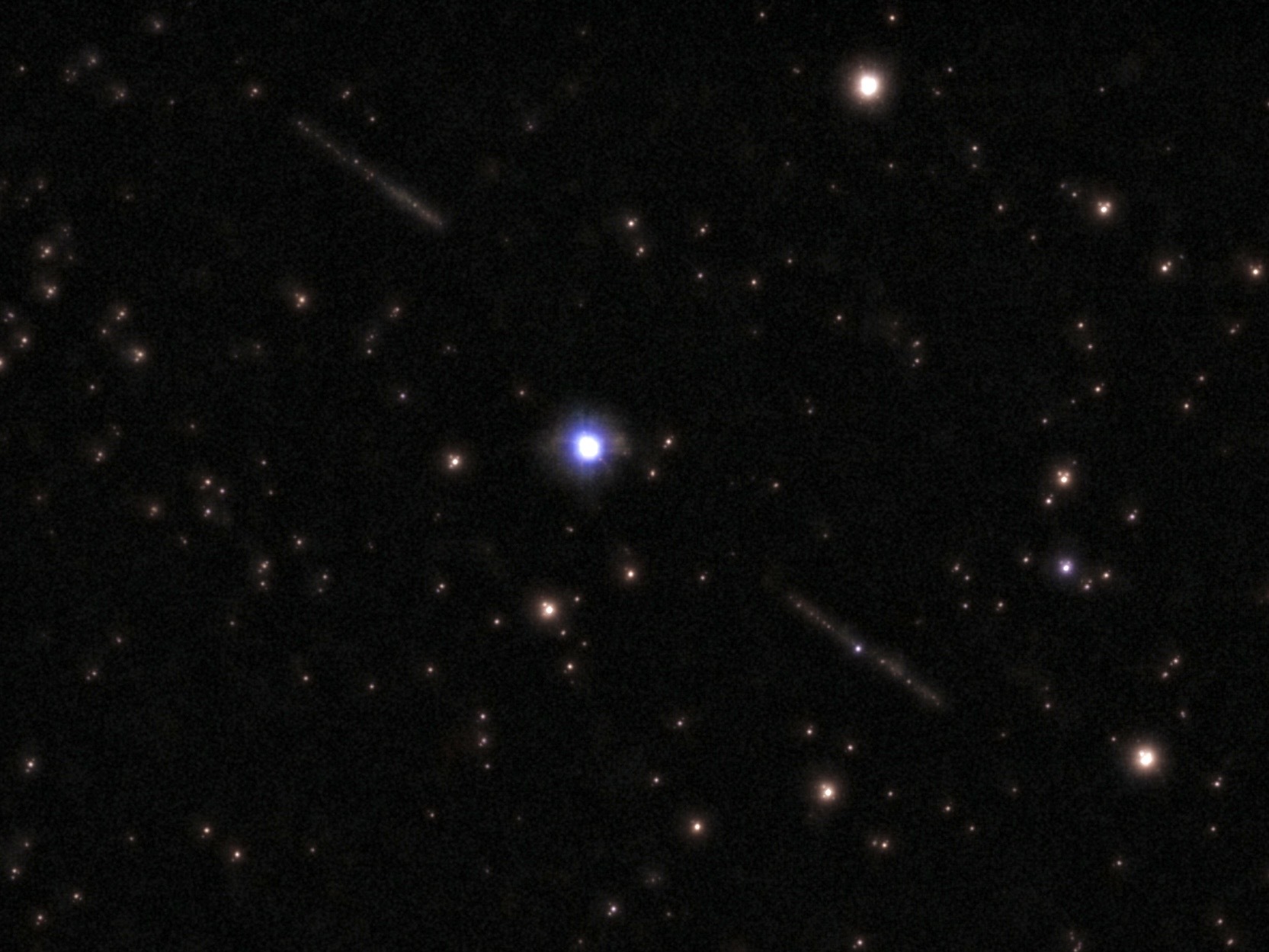
If you have a Unistellar smartscope
Observers with Unistellar smartscopes are in a unique position to take part in the company’s citizen science effort to track the spacecraft during the mission. Thanks to this program, it’s easy to find and download Artemis 2’s position directly to your smartscope without having to look it up separately. Plus, you can contribute your results at the end of the night to the pool of citizen science data the team is gathering on the appearance of the spacecraft throughout the mission.
Once your smartscope is set up, connected to the app, and on your Wi-Fi network, visit science.unistellar.com on your phone or tablet. Tap the three horizontal lines at the top, then select Planetary Defense and Ephemeris. Under “Select a Target,” choose Artemis II, then either find, search for, or enter your location. Then, select an observation time — again, for U.S. observers, starting on April 10 at 12 A.M. is sufficient. Then click “Generate.”
Once the site is done calculating, start scrolling down. There will be several entries, each 10 minutes apart. Any entries displaying a grayed-out eye icon with a slash through it mean Artemis 2 is not visible from your location. You may have to scroll down a bit, but if the capsule is ever visible for you, you’ll see a blue cellphone icon appear instead of the grayed-out eye. If you click on the downward-pointing arror on the left side of these entries, it will expand to show the capsule’s R.A., Dec, altitude, and direction. Keep going through them until you find entries with a decent elevation (ideally at least 5° high, though of course you can always try to observe with it lower in the sky if you have clear horizons). Hitting the blue cellphone icon will take you to the Unistellar app, where the coordinates will be entered for you. (If you have any issues, you can always manually copy the coordinates instead.) From there, hit “Save” to start your telescope slewing, and then record the observation once there by tapping “Record” in the app. After it’s done, you can even upload the data to Unistellar’s network for use in the citizen science project, as well as save the images it creates for your own use.
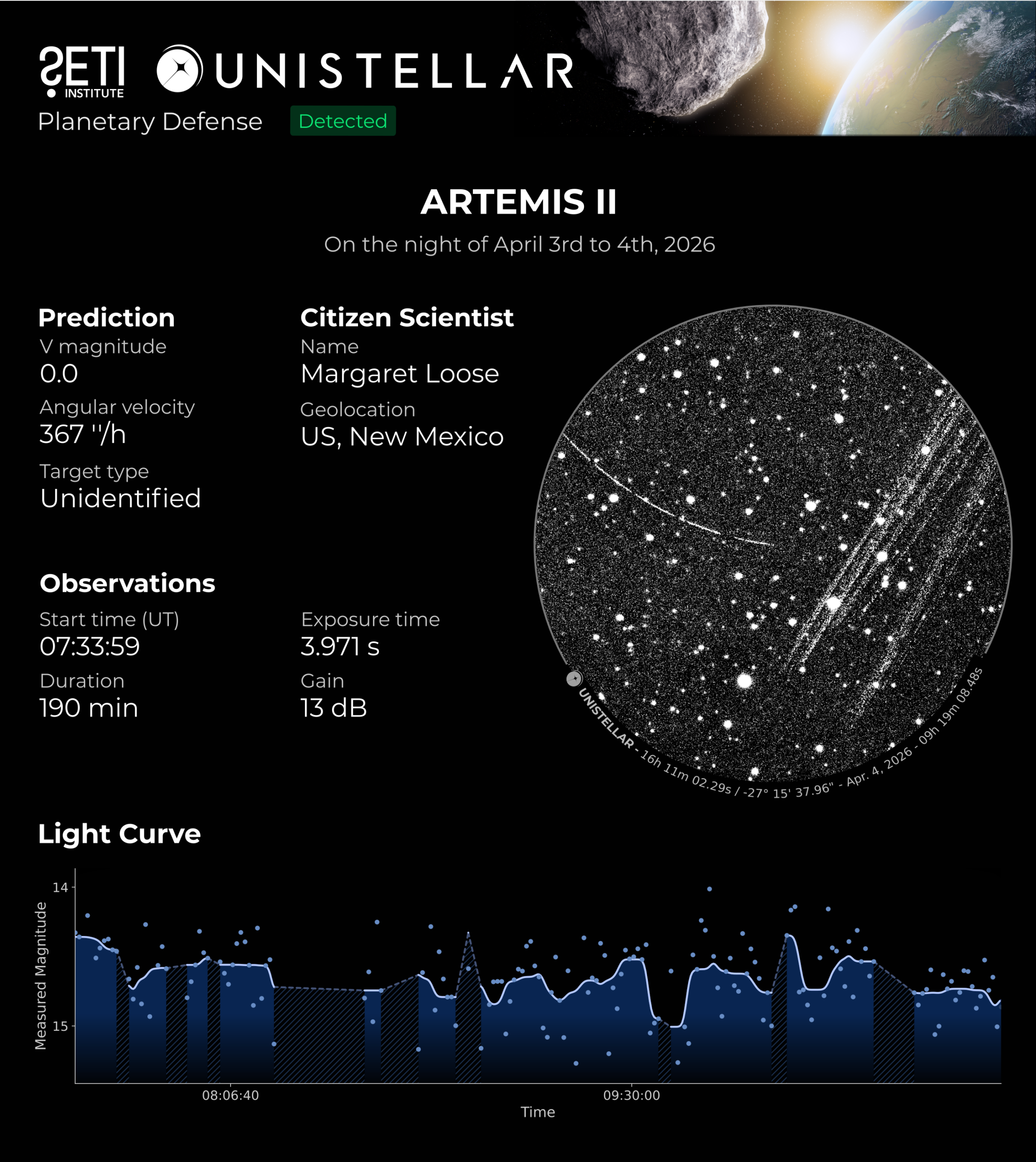
If you’ve never uploaded data as part of Unistellar’s citizen science program before, you’ll later receive an invite to the program’s Slack channel, where you can share and see your results, as well as view others’ and discuss them. But note it’s absolutely not necessary to join Slack to use the ephemeris to find Artemis 2 or record your own data, so don’t worry if that doesn’t interest you.
Observing Artemis 2 Friday morning on its final approach to Earth will be more challenging than after its launch. But if you’ve got clear weather, the right scope, and possibly some caffeine, give it a go before the world gets ready for splashdown, bringing this amazing and groundbreaking mission to a close — and taking us one step closer on our journey back to the Moon.